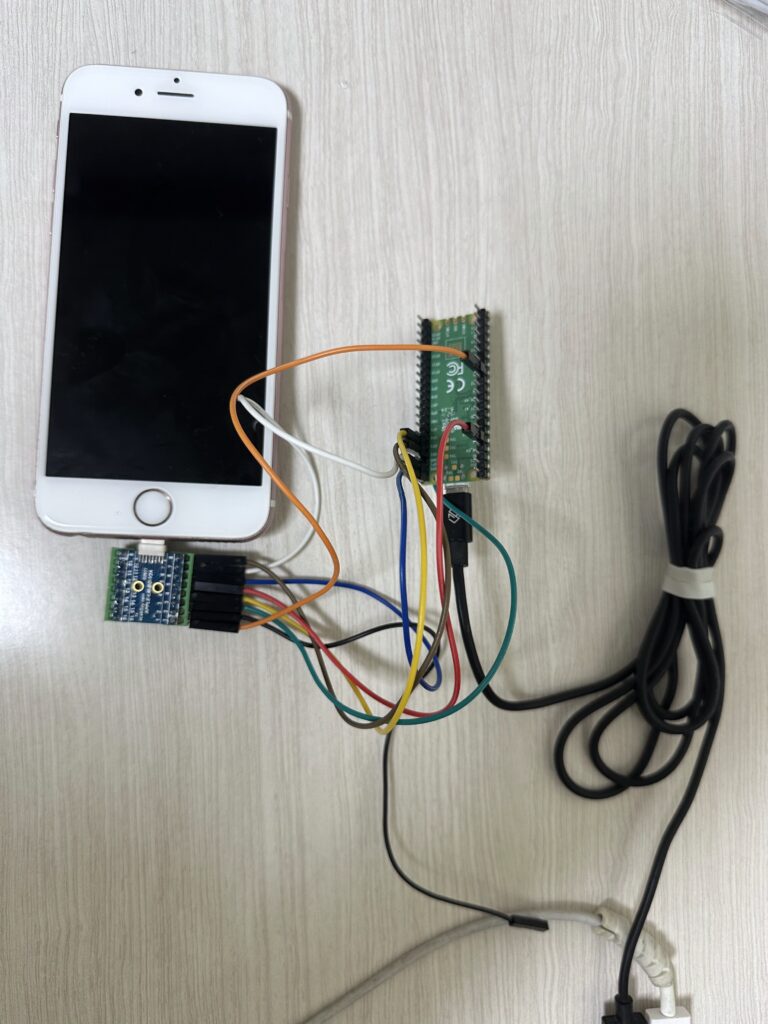
APPLE-LM-BO-V2A Apple Lightning Male connector breakout board (DataSheet, Drawing, 구매링크), 여기서 필자는 둘중에 두번째의 초록색 male connector 달린 제품 사용.
마이크로5핀 to USB 케이블 (라즈베리파이 피코를 PC에 연결할 용도로 쓰임)
아두이노 암/암 점퍼 케이블 8개
조립 완성 사진
Pico용 SDK / tamarin(구버전) 펌웨어 컴파일
seo@seos-macbook tamarin % cd ~/Desktop

seo@seos-macbook Desktop % mkdir

seo@seos-macbook Desktop % mkdir iphone_jtag

seo@seos-macbook Desktop % cd iphone_jtag

seo@seos-macbook iphone_jtag % mkdir -p tamarin

seo@seos-macbook iphone_jtag % cd $_

seo@seos-macbook tamarin % git clone <https://github.com/raspberrypi/pico-sdk.git>
Cloning into 'pico-sdk'...
...

cd pico-sdk; git submodule update --init

seo@seos-macbook pico-sdk % export PICO_SDK_PATH=$(pwd)

seo@seos-macbook pico-sdk % cd ../

seo@seos-macbook tamarin % git clone <https://github.com/stacksmashing/tamarin-firmware.git>; cd $(basename $_ .git)
Cloning into 'tamarin-firmware'...
...

cd tamarin-firmware

seo@seos-macbook tamarin-firmware % mkdir build; cd $_

seo@seos-macbook build % cmake ..

seo@seos-macbook build % make -j$(nproc)
[  0%] Creating directories for 'pioasmBuild'
...
[100%] Built target tamarin_firmware
seo@seos-macbook build %
tamarin_firmware.uf2 파일이 생성됐는지 확인
seo@seos-macbook build % ls -la
total 5208
drwxr-xr-x  22 seo  staff     704 Dec 29 19:54 .
drwxr-xr-x  23 seo  staff     736 Dec 29 19:53 ..
-rw-r--r--   1 seo  staff   30069 Dec 29 19:54 CMakeCache.txt
-rw-r--r--   1 seo  staff   15734 Dec 29 19:54 CMakeDoxyfile.in
-rw-r--r--   1 seo  staff   21594 Dec 29 19:54 CMakeDoxygenDefaults.cmake
drwxr-xr-x  18 seo  staff     576 Dec 29 19:54 CMakeFiles
-rw-r--r--   1 seo  staff  195244 Dec 29 19:54 Makefile
-rw-r--r--   1 seo  staff    2270 Dec 29 19:54 cmake_install.cmake
drwxr-xr-x   3 seo  staff      96 Dec 29 19:54 generated
-rw-r--r--   1 seo  staff    3051 Dec 29 19:54 lightning_rx.pio.h
-rw-r--r--   1 seo  staff    3079 Dec 29 19:54 lightning_tx.pio.h
drwxr-xr-x   8 seo  staff     256 Dec 29 19:54 pico-sdk
-rw-r--r--   1 seo  staff      60 Dec 29 19:54 pico_flash_region.ld
drwxr-xr-x  11 seo  staff     352 Dec 29 19:54 pioasm
drwxr-xr-x   3 seo  staff      96 Dec 29 19:54 pioasm-install
-rw-r--r--   1 seo  staff    1746 Dec 29 19:54 probe.pio.h
-rwxr-xr-x   1 seo  staff   42068 Dec 29 19:54 tamarin_firmware.bin
-rw-r--r--   1 seo  staff  738759 Dec 29 19:54 tamarin_firmware.dis
-rwxr-xr-x   1 seo  staff  832920 Dec 29 19:54 tamarin_firmware.elf
-rw-r--r--   1 seo  staff  545393 Dec 29 19:54 tamarin_firmware.elf.map
-rw-r--r--   1 seo  staff  118382 Dec 29 19:54 tamarin_firmware.hex
**-rw-r--r--   1 seo  staff   84480 Dec 29 19:54 tamarin_firmware.uf2**
Pico 보드에 tamarin 펌웨어 업로드
Pico 보드를 펌웨어 업로드 모드로 진입방법
BOOTSEL 버튼 누른 상태에서 USB 연결
picotool info 명령어로 USB 연결 확인 (picotool은 brew로 설치 가능함)
seo@seos-macbook tamarin-firmware % picotool info
Program Information
 name:          tamarin_firmware
 features:      UART stdin / stdout
 binary start:  0x10000000
 binary end:    0x1000946c
...
Good morning!

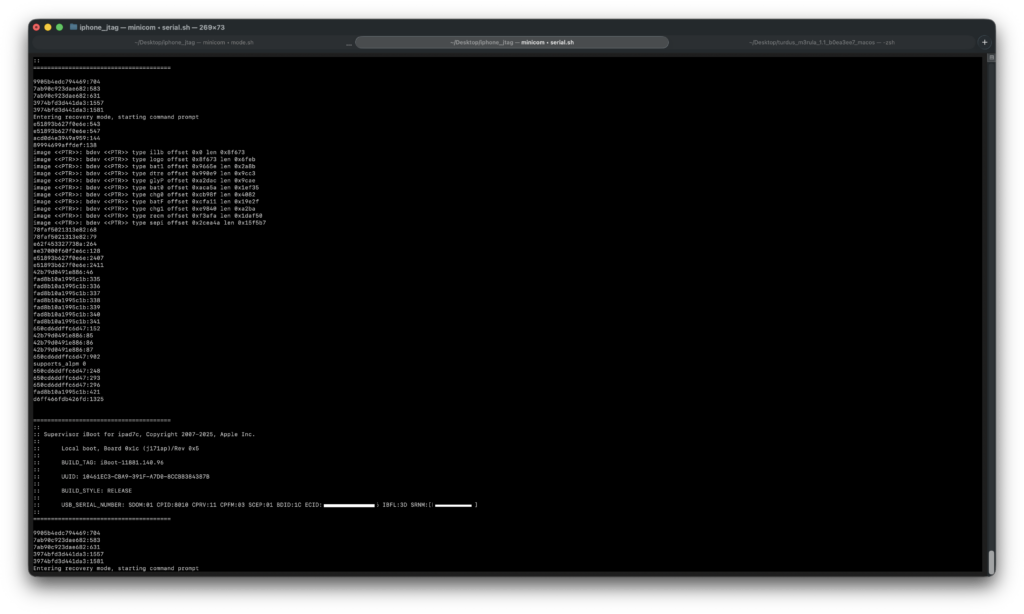
1: JTAG mode
2: DCSD mode
3: Reset device
4: Reset and enter DFU mode (iPhone X and up only)
5: Reenumerate

F: Force JTAG mode without sending command
J: Force SPAM-JTAG mode without sending command
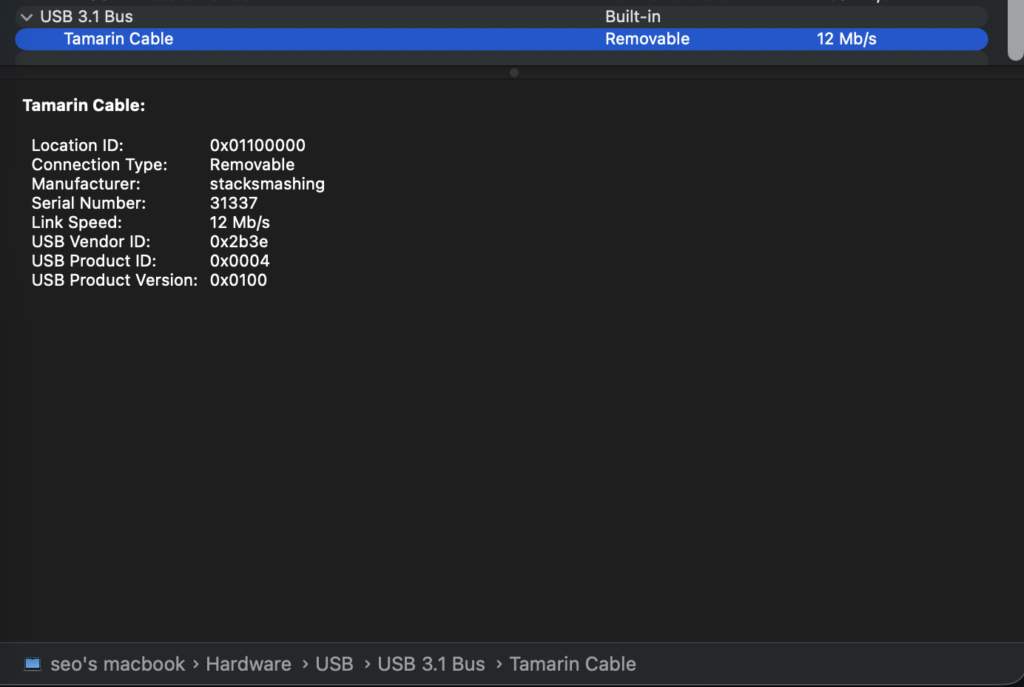
R: Reset Tamarin cable
S: SPAM mode (Apple Watch UART)
U: Go into firmware update mode
> 1
Enabling JTAG mode.
Restarting enumeration!
Done restarting enumeration!
Tristar request received: 74 00 02 1F
DCSD mode active.
Connect to the second serial port of the
Tamarin Cable to access the monitor.
JTAG mode active, ID pin in Hi-Z.
You can now connect with an SWD debugger.
Good morning!
Demotion
seo@seos-macbook turdus_m3rula_1.1_b0ea3ee7_macos % ./palera1n-macos-arm64 -d -l
...
 - [12/30/25 01:15:20] <Verbose>: DFU mode device found
 - [12/30/25 01:15:20] <Info>: Checking if device is ready
 - [12/30/25 01:15:20] <Verbose>: Attempting to perform checkm8 on 8015 11
 - [12/30/25 01:15:20] <Info>: Setting up the exploit
 - [12/30/25 01:15:20] <Verbose>: == checkm8 setup stage ==
 - [12/30/25 01:15:20] <Verbose>: Entered initial checkm8 state after 1 steps
 - [12/30/25 01:15:20] <Verbose>: Stalled input endpoint after 1 steps
 - [12/30/25 01:15:20] <Verbose>: DFU mode device found
 - [12/30/25 01:15:20] <Verbose>: == checkm8 trigger stage ==
 - [12/30/25 01:15:20] <Info>: Checkmate!
 - [12/30/25 01:15:20] <Verbose>: Device should now be demoted
 - [12/30/25 01:15:20] <Verbose>: DFU mode device disconnected
 - [12/30/25 01:15:20] <Verbose>: DFU mode device found
 - [12/30/25 01:15:20] <Info>: Demoted device waiting for debugger
 - [12/30/25 01:15:20] <Verbose>: Skipping demoted 8015 11
아이폰 케이블 분리 및 Tamarine 케이블로 재연결 / Tamarine cable 연결
seo@seos-macbook openocd % telnet 127.0.0.1 4444
Trying 127.0.0.1...
Connected to 127.0.0.1.
Escape character is '^]'.
Open On-Chip Debugger
> targets
    TargetName         Type       Endian TapName            State
--  ------------------ ---------- ------ ------------------ ------------
 0  iphone.dbg         mem_ap     little iphone.cpu         running
 1  iphone.mem         mem_ap     little iphone.cpu         running
 2  iphone.ecore0      aarch64    little iphone.cpu         running
 3  iphone.ecore1      aarch64    little iphone.cpu         poweroff
 4  iphone.ecore2      aarch64    little iphone.cpu         poweroff
 5  iphone.ecore3      aarch64    little iphone.cpu         poweroff
 6  iphone.pcore0      aarch64    little iphone.cpu         poweroff
 7  iphone.pcore1      aarch64    little iphone.cpu         poweroff
 8* iphone.sep         aarch64    little iphone.cpu         unknown

> targets iphone.ecore0
> halt
Timeout waiting for target iphone.ecore0 halt
halt 수행시 Timeout waiting for… 에러 출력시에 minicom 창에서 F: Force JTAG mode without sending command, 즉 F모드로 tamarin 모드 설정.
이후엔 제대로 halt 됨 target halted in AArch64 state due to debug-request, current mode: EL1T cpsr: 0x800002c4 pc: 0x100000568 MMU: enabled, D-Cache: enabled, I-Cache: enabled
seo@seos-macbook openocd_tihmstar % sudo ./src/openocd -f tcl/interface/tamarin.cfg -f t8015.cfg
Open On-Chip Debugger 0.10.0+dev-gd91b411c (2025-12-29-23:11)
Licensed under GNU GPL v2
For bug reports, read
	<http://openocd.org/doc/doxygen/bugs.html>
Info : only one transport option; autoselect 'swd'
Warn : Transport "swd" was already selected
adapter speed: 1000 kHz

Warn : Interface already configured, ignoring
Warn : Transport "swd" was already selected
Info : clock speed 10000 kHz
Info : SWD DPIDR 0x03000067
Error: iphone.ecore0: missing UTT configuration, halt may not work
Info : iphone.ecore0: hardware has 2 breakpoints, 3 watchpoints
Error: iphone.ecore1: missing UTT configuration, halt may not work
Error: iphone.ecore1 powered down!
Error: iphone.ecore2: missing UTT configuration, halt may not work
Error: iphone.ecore2 powered down!
Error: iphone.ecore3: missing UTT configuration, halt may not work
Error: iphone.ecore3 powered down!
Error: iphone.pcore0: missing UTT configuration, halt may not work
Error: iphone.pcore0 powered down!
Error: iphone.pcore1: missing UTT configuration, halt may not work
Error: iphone.pcore1 powered down!
Error: iphone.sep: missing UTT configuration, halt may not work
Info : Listening on port 3333 for gdb connections
Info : Listening on port 3334 for gdb connections
Info : Listening on port 3335 for gdb connections
Info : Listening on port 3336 for gdb connections
Info : Listening on port 3337 for gdb connections
Info : Listening on port 3338 for gdb connections
Info : Listening on port 3339 for gdb connections
Info : Listening on port 6666 for tcl connections
Info : Listening on port 4444 for telnet connections
Info : accepting 'telnet' connection on tcp/4444
Error: Timeout waiting for target iphone.ecore0 halt

Info : iphone.ecore0 cluster 0 core 0 multi core
target halted in AArch64 state due to debug-request, current mode: EL1T
cpsr: 0x800002c4 pc: 0x100000568
MMU: enabled, D-Cache: enabled, I-Cache: enabled
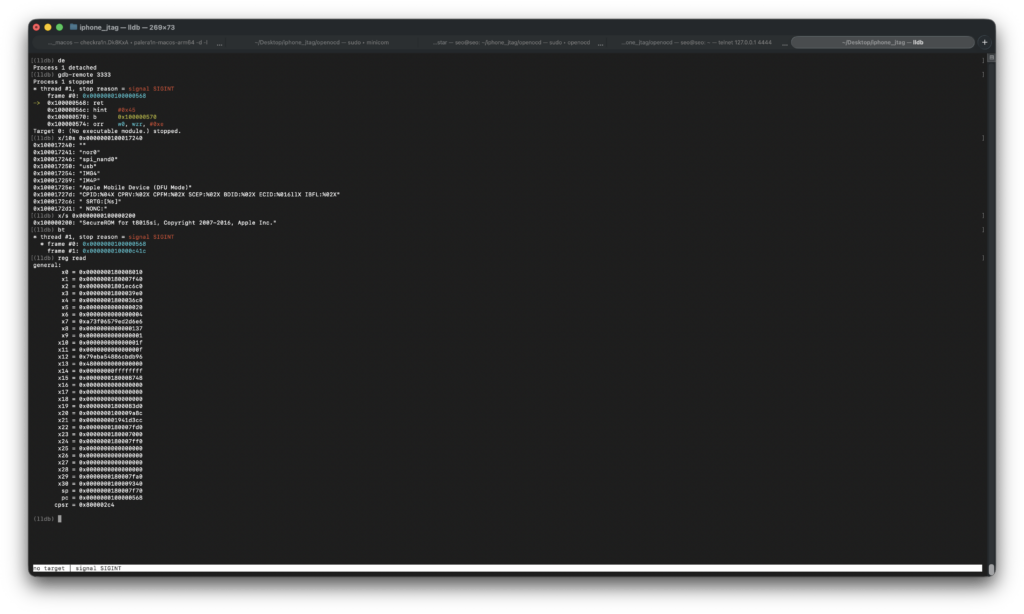
디버거 연결
lldb
gdb-remote 3333
SecureRom 이미지 덤프
(lldb) memory read --binary --outfile ./dump.bin --force 0x100000000 0x100020000
131072 bytes written to 'dump.bin'
커널 디버깅 (실패)
아이디어…
(lldb) p/x 0x207 & 0xfffffffe
(unsigned int) 0x00000206
// Demote 설정 전 값에서 0xfffffffe AND 연산한게 바로 0x206임.

(lldb) x/wx 0x2352BC000
0x2352bc000: 0x00000206
(lldb) x/gx 0x2352BC000
0x2352bc000: 0x2200000000000206
// A11칩 기준 demotion_reg 주소는 0x2352BC000.
// <https://github.com/axi0mX/ipwndfu/blob/master/device_platform.py>

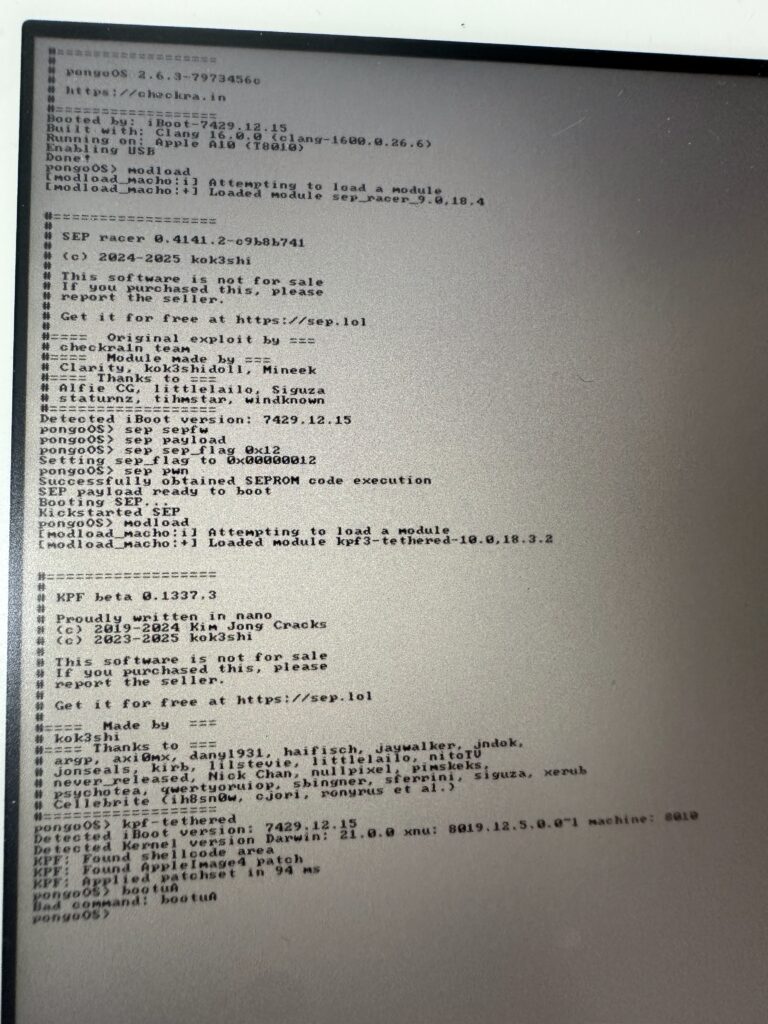
pongoOS> peek 0x2352BC000
0x2352bc000: 207 (7 2 0 0)
// 기존 값 (Demote 안됨)
pongoOS> peek 0x2352BC004
0x2352bc004: 22000000 (0 0 0 22)
gaster에서 demotion flag 건드린다음, 커스텀 부트로더와 커널 올리고 하면 될지도?